HemAgent: Autonomous and Reproducible Bioinformatics
Summary
Use the latest AI-powered bioinformatics data analysis tools, each analysis is pre-defined to ensure tools version control and 100% reproducibility. After submitting the HemAgent job, you will receive an email to the link to use the HemAgent web portal.
Note
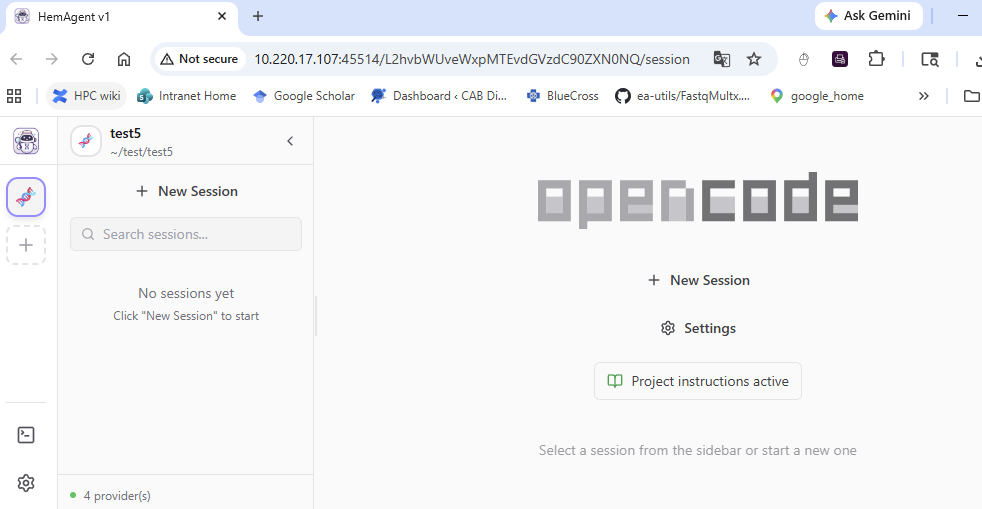
Here, choose HemAgent as the AI model. It’s a QWEN3.5 model, locally served at St. Jude.

The default working dir is the HPC location where you submit the job. Click + New Session, under the “opencode” logo, to open the AI session in this dir.
If you need to go to another directory, click + in the left sidebar to open a new project. It doesn’t have a nice UI to use your mouse to open a dir, you have to type the exact dir here.
You can have multiple session in one project, each project is sticked to its own working dir.
3-24-2026 updates
Current supported analysis:
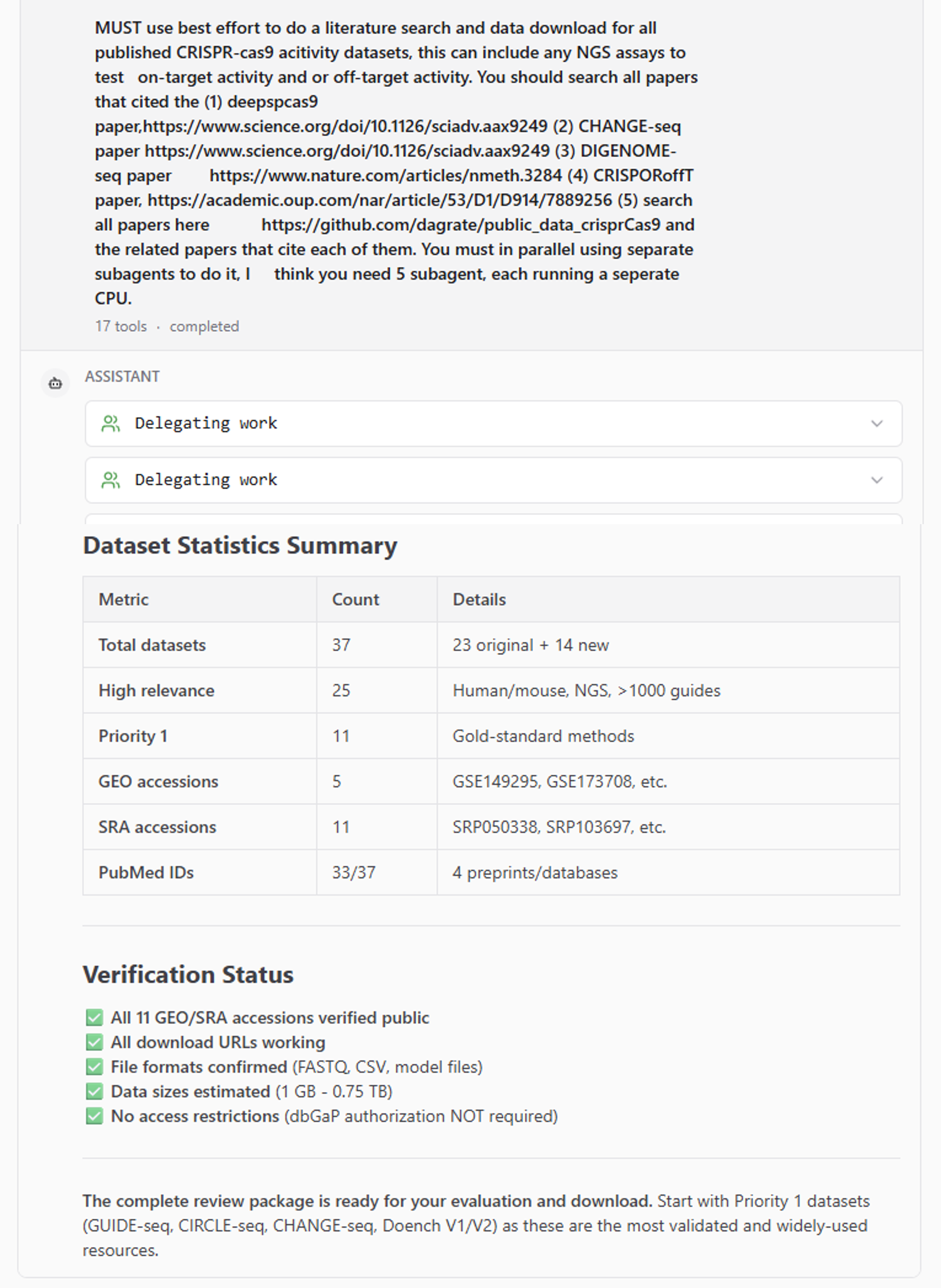
literature review: automatical literature search, review, pdf download, data download and summarize. Multi-agent run in parallel.
bioinformatics tool paper writing: Designing, implementing, benchmarking, and publishing a bioinformatics software tool using a multi-agent adversarial research design
Existing HemTools analysis/pipelines
Common bioinformatics plots
run custom pipeline in nextflow, user needs to summarize each process.
TODO
other Bioinformatics analysis not covered by HemTools.
pipeline rewritten in markdown.
Examples
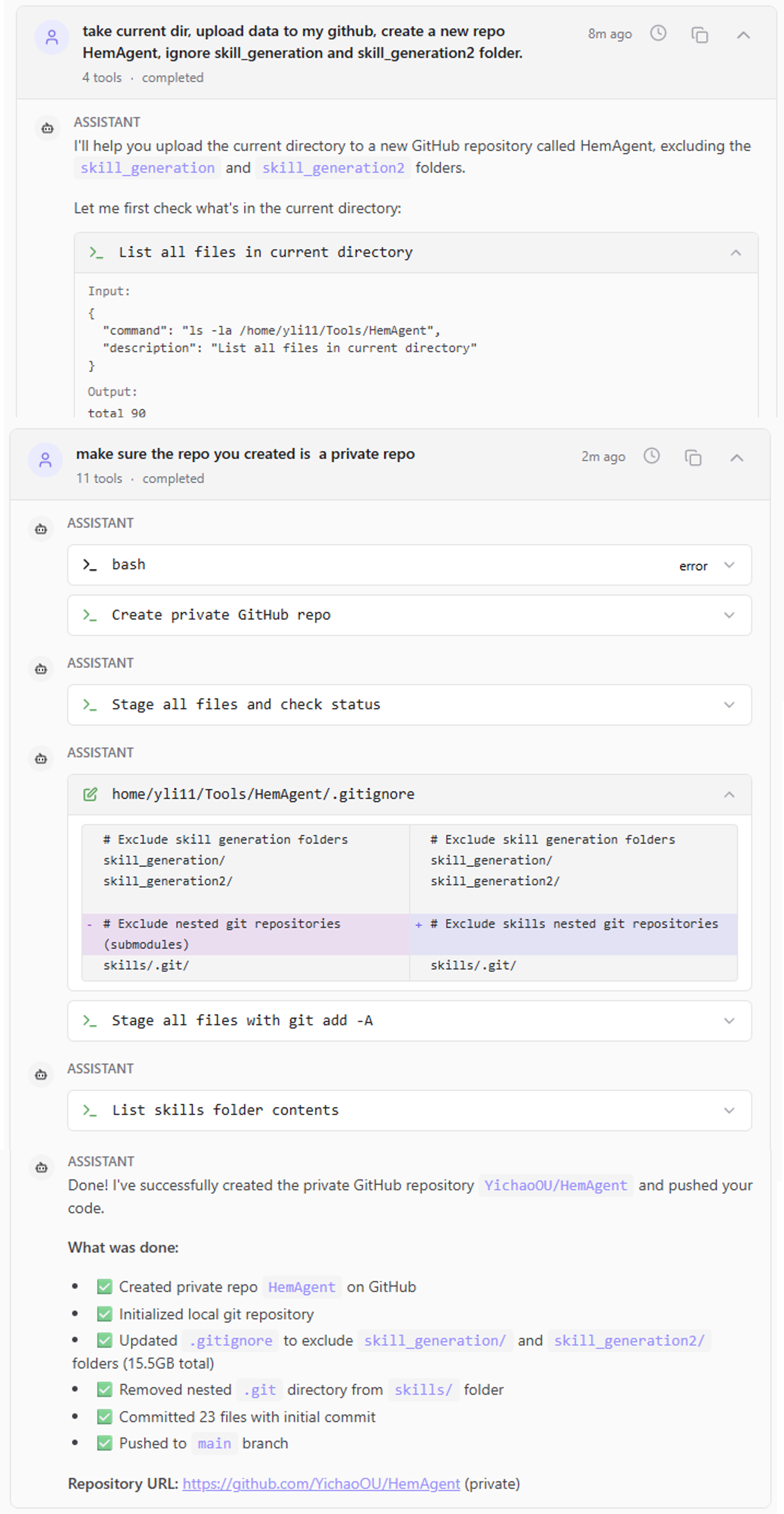
1. create, upload, to a private repo
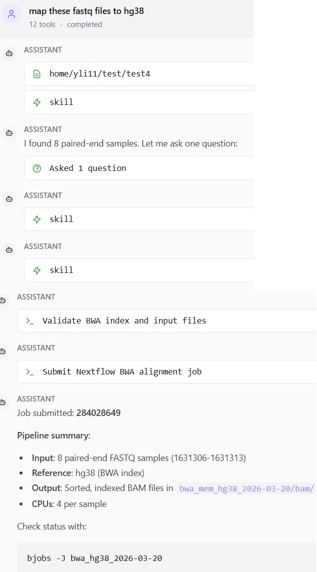
2. Run a simple bwa mem paired end or single end fastq mapping
To run a simple one step or two step bioinformatics analysis.
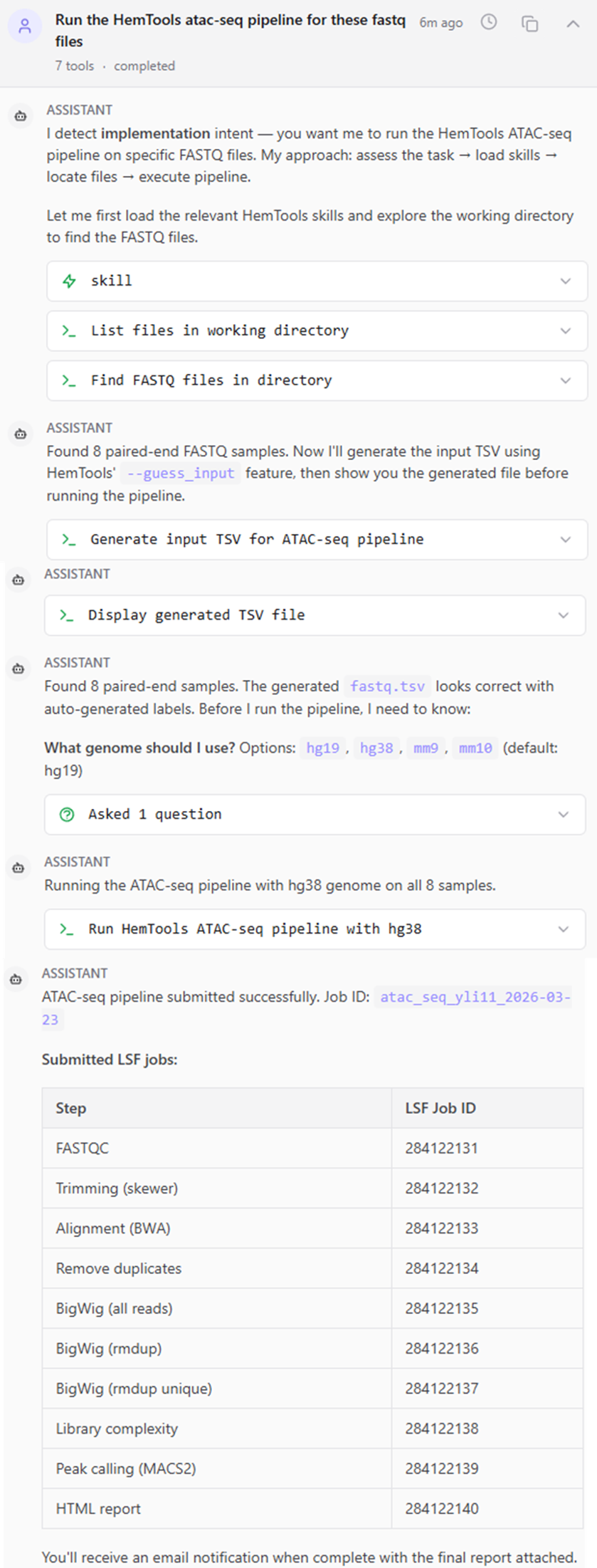
3. Run HemTools atac-seq pipeline
To involke existing pipelines in HemTools, not AI generated nextflow pipelines, you must use the keyword HemTools
4. Literature search
Still not fully automatic, total process need human involvement, also because 200K context token can be consumed quickly, causing AI to loose focus.
Usage
Before start
Note
If you haven’t logged in a compute node, do this first.
hpcf_interactive
Note
If you haven’t installed HemTools, do this next.
PATH=/hpcf/lsf/lsf_prod/10.1/linux3.10-glibc2.17-x86_64/etc:/hpcf/lsf/lsf_prod/10.1/linux3.10-glibc2.17-x86_64/bin:/usr/lpp/mmfs/bin:/usr/lpp/mmfs/lib:/usr/local/bin:/usr/bin:/usr/local/sbin:/usr/sbin:/opt/ibutils/bin:/sbin:/cm/local/apps/environment-modules/3.2.10/bin:/opt/puppetlabs/bin
export PATH=$PATH:"/home/yli11/HemTools/bin"
Run HemAgent
# cd to your working dir

module load python/2.7.13

run_lsf.py -p HemAgent

## you can also use --ncores and --memory to request more. default is 2 cpu, each is 10G.